
Download video from TikTok

Download videos from any platform: YouTube, TikTok, Instagram, VK, RuTube, Reddit, Twitch and many others quickly and without restrictions.

Download TikTok videos fast and free in high quality without registration and restrictions.

Download video from TikTok

TikTok is a popular app for creating and watching short videos that has become a phenomenon in recent years. With its simple interface and recommendation algorithms, TikTok allows users to quickly find content by interest and share their creative videos with millions of people around the world. Special attention is paid to trends, Challenges and viral videos that help bloggers and brands increase their reach and attract new audiences.

For businesses, TikTok has become a powerful marketing tool, allowing them to effectively promote products and services through native advertising and collaboration with popular Influencers. Promotion on TikTok helps not only to increase sales, but also to build brand image among the youth audience. The key to success is regular creation of interesting content, use of hashtags and active participation in the current trends of the platform.

However, downloading videos from TikTok is not as easy as it seems. The platform either does not provide a direct download option or saves videos with a watermark, which is not always suitable for further use.

aDownloader offers a complete and free service for downloading videos from TikTok in various formats and resolutions. You can save the video in high quality without watermark and extract audio if needed and download the file in MP3, WAV and M4A formats for personal use. Regular videos, vertical clips and other platform formats are supported.

aDownloader is a fast and convenient service for downloading videos from TikTok. Its simple interface and fast processing speed allow you to use it both on your computer and mobile device for offline viewing or audio saving.

We create a reliable, fast and free service for convenient content downloading.
Download video from TikTok

Copy the link to download the TikTok video?

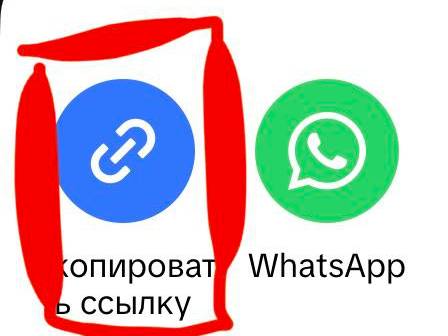
To start downloading videos from TikTok, you first need to copy the link to the desired video directly in the application. Open the video, tap the "Share" button and select "Copy link". After that, the link will be automatically saved in the clipboard of your device.

Download video from TikTok

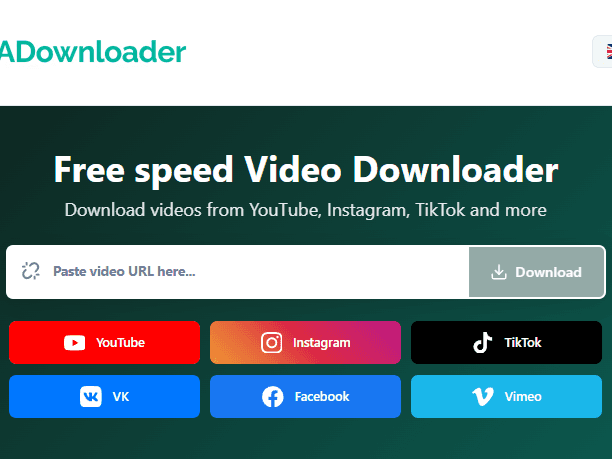
Once the video link has been successfully copied, go to adownloader.org and find the special field for entering the link on any page. Carefully paste the copied URL into this field using Ctrl + V (or Cmd + V on a Mac) or via the Paste menu on your mobile device.

Download video from TikTok

Make sure the link is inserted completely and without extra characters, then click the download button.

Download video from TikTok

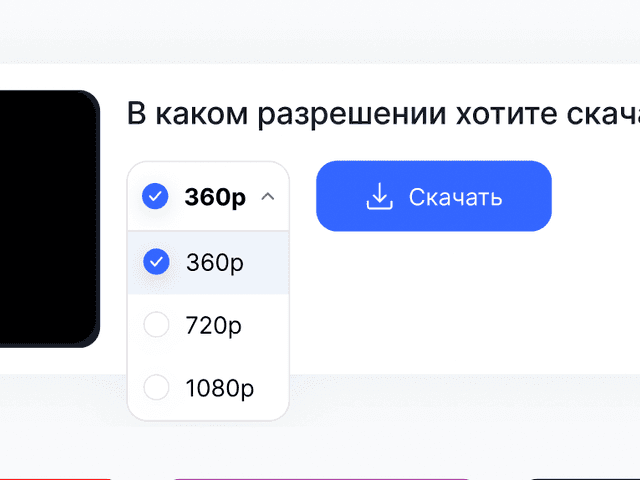
The service will automatically process the link, determine the available formats and offer quality options. You will be left to choose a suitable resolution or file format and save the video to your device

On cell phones, the process is completely similar. Open the video in the app or mobile browser, tap the "Share" button and select "Copy Link." Then go to adownloader.org in your browser, paste the link into the download field and start downloading as quickly and conveniently as you would on a computer.

Advantages

Fast and free

Download videos instantly without registration and for free.

🎥

HD and 4K support

All resolutions from audio mp3 to Full HD and 4K are available.

🌍

Working with different platforms

Support for YouTube, TikTok, Instagram, VK, Reddit and other services.

📱

Suitable for all devices

Works on computers, smartphones and tablets without installing programs.

🔊

Audio extraction

Ability to download just the audio in a convenient format.

🚀

Downloading without watermarks

Download videos in original quality without logos and watermarks for convenient personal use.

Frequently Asked Questions

No, you don't need to install programs or apps to download videos for free. Our online service works right in your browser and allows you to quickly download videos from a link without installing an app.

You can download videos in MP4 format in different resolutions: 360p, 480p, 720p, 1080p,SD, HD, Full HD, 2K and 4K. The available quality options depend on the source video. As well as audio and sounds from the video.

Yes, the service allows you to download audio from a video and save it in a convenient format for offline listening - without quality loss.

Yes, you can download videos to your phone through your browser without apps. The service is fully adapted for Android, iPhone and tablets.

No, online video downloads are available with no quantity limits and no paid subscription.

No, no registration is required. Just paste the link to the video in the download box and download the file for free and without creating an account.