
Download video from YouTube

Download videos from any platform: YouTube, TikTok, Instagram, VK, RuTube, Reddit, Twitch and many others quickly and without restrictions.

Download videos from YouTube fast and free in high quality without registration and restrictions.

How to download videos from YouTube

YouTube is the biggest video hosting service in this world, and dominates in popularity in most countries. However, downloading videos on YouTube is not as easy as it seems, the service does not directly give the user the opportunity to download videos for personal use.

aDownloader offers a complete and free service to download videos from Youtube in various formats, from low resolution 360, 480, 720 HD pixels, also in high resolution and good quality 1080p FullHD, 2K, 4k 8k, vertical video Shorts. You can also and convert to audio and download the file for listening and use in mp3, wav, m4a formats, for various purposes.

aDownloader is a service with the main purpose of downloading videos from Youtube with a user-friendly interface and very high speed, it will work on your computer and on your phone, which can allow you to view offline or extract audio for offline listening.

We make a reliable and fast service for downloading.
Download video from YouTube

Copy the link to download a Youtube video?

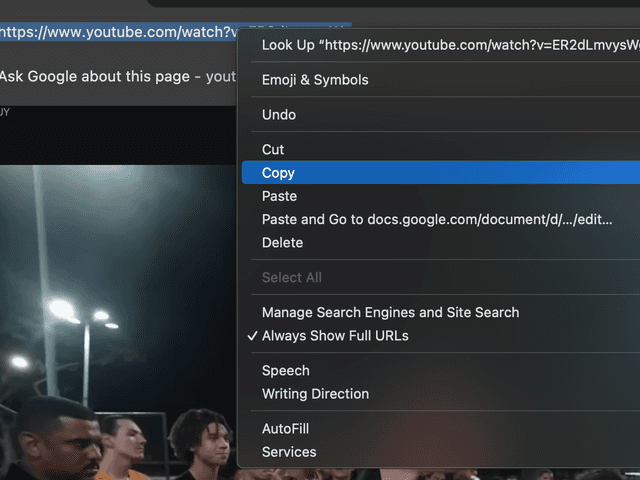
To start downloading, you must first copy the link to the desired video. This can be done in two ways. The first is to copy the link directly from the browser address bar: just highlight the URL of the page with the video and click "Copy".

Download video from YouTube

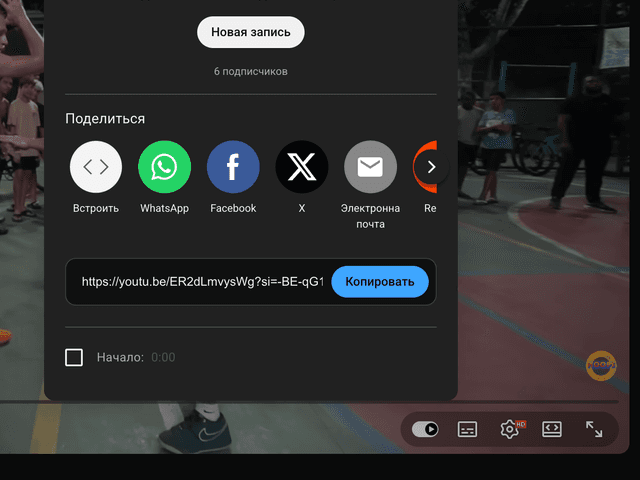
The second way is to use the "Share" button, which is usually found below the video. Click it and select "Copy link".

Download video from YouTube

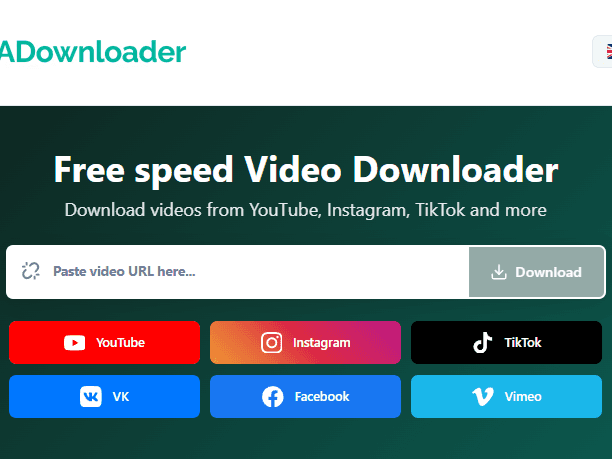
Once the video link has been successfully copied, go to adownloader.org and find the special field for entering the link on any page. Carefully paste the copied URL into this field, which can be done using Ctrl + V (or Cmd + V on a Mac) or via the "Paste" menu on your mobile device.

Make sure that the link is pasted completely and without extra characters, then click the download button.

Download video from YouTube

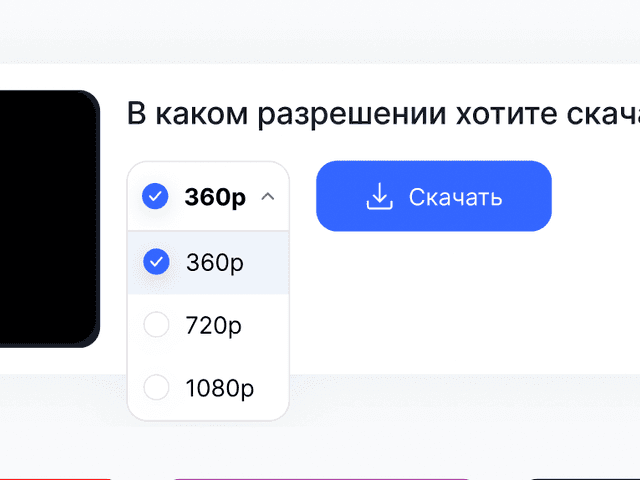
The service will automatically process the link, determine the available formats and offer quality options. You will be left to choose a suitable resolution or file format and save the video to your device

On cell phones, the process is completely similar. Open the video in the app or mobile browser, tap the "Share" button and select "Copy Link." Then go to adownloader.org in your browser, paste the link into the download field and start downloading as quickly and conveniently as you would on a computer.

Advantages

Fast and free

Download videos instantly without registration and for free.

🎥

HD and 4K support

All resolutions from audio mp3 to Full HD and 4K are available.

🌍

Working with different platforms

Support for YouTube, TikTok, Instagram, VK, Reddit and other services.

📱

Suitable for all devices

Works on computers, smartphones and tablets without installing programs.

🔊

Audio extraction

Ability to download just the audio in a convenient format.

🚀

Instant link processing

The service automatically detects the format and offers the best quality options for downloading.

Frequently Asked Questions

No, you don't need to install programs or apps to download videos for free. Our online service works right in your browser and allows you to quickly download videos from a link without installing an app.

You can download videos in MP4 format in different resolutions: 360p, 480p, 720p, 1080p,SD, HD, Full HD, 2K and 4K. The available quality options depend on the source video. As well as audio and sounds from the video.

Yes, the service allows you to download audio from a video and save it in a convenient format for offline listening - without quality loss.

Yes, you can download videos to your phone through your browser without apps. The service is fully adapted for Android, iPhone and tablets.

No, online video downloads are available with no quantity limits and no paid subscription.

No, no registration is required. Just paste the link to the video in the download box and download the file for free and without creating an account.